Compare protection methods by the outcome that matters
Messenger privacy has several independent layers: who can open the installed app, what shows in notifications, who can access the Meta account, and how encrypted chat history is recovered. Changing one layer does not automatically change the others. This chapter addresses “Comparing Android app-lock approaches” as an independent decision, with a safe test and a clearly stated limitation.
Decide the exact objective
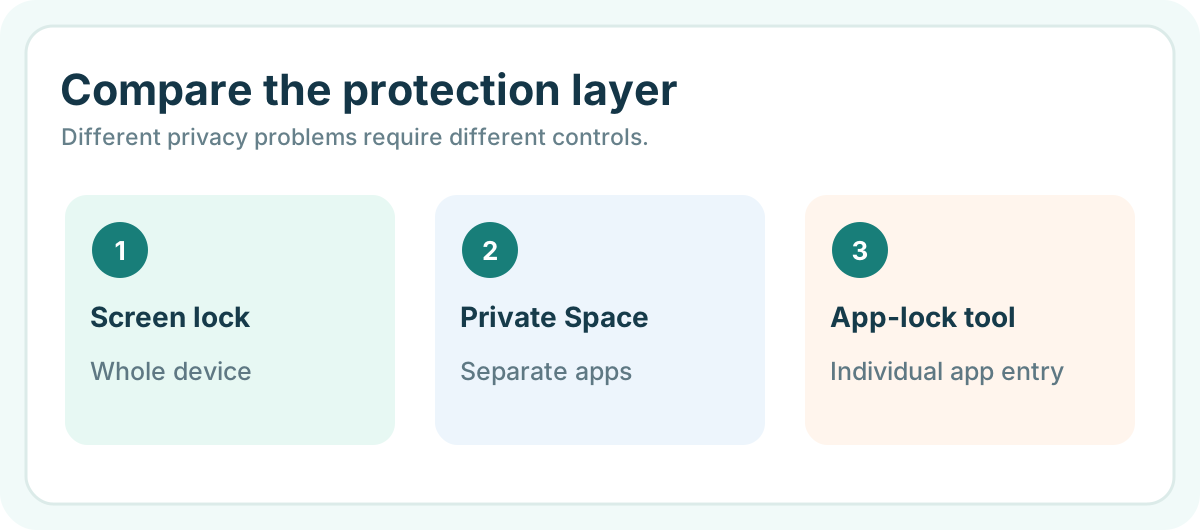
Compare native Android Private Space, manufacturer-specific app locking and third-party app locks against the same checklist: unlock method, notifications, backup, uninstall behavior, accessibility impact and device support.

Test the real-world behavior
Score each method using a benign test account and record exceptions. Avoid treating cosmetic app hiding, a splash-screen password and cryptographic isolation as equivalent security controls.
Record what the control cannot do
For this Messenger-specific step, check the account, app entry and encrypted-chat storage as separate things. If a step removes secure storage, consult Meta’s warning about permanent chat-history loss.
Make a comparison table with OS/version, notification state, login state and data recovery outcome.
Practical implementation checklist
- Identify whether the target is app opening, notification text, account access or chat-history restoration.
- Use a harmless test Messenger conversation on a compatible Android device.
- Test the selected control in both locked and unlocked device states.
- Record limitations without deleting secure storage or promising automatic recovery.
Questions readers should resolve
Will app locking recover Messenger chat history?
No. It controls a local app-entry path; encrypted chat recovery is governed by Meta’s secure-storage process.
What should be tested first?
Use a non-sensitive sample on the exact recipient device and software version; document what works and what remains unsupported.
Research and documentation
These sources support the technical boundaries described here. They are not substitutes for testing the current software on the target device, checking legal requirements, or independently confirming product claims.
- Meta: Messenger encrypted messages and secure storage
- Android Private Space
- Android notification controls
Editorial note: No paid link placement is required for this guide. Product information, if mentioned, describes one possible tool and should not be read as an endorsement or an assertion of universal compatibility.